
Find
When you request AI photography guidance, LookDot reads the live frame and your device’s camera capabilities, places a clear target dot, and matches suitable exposure and filters.
LookDot · 好看点
Before you press the shutter, LookDot gives you a clear target dot and automatically adjusts exposure and filters for your device’s camera capabilities. Align the on-screen + with the dot, then take the real photo yourself.
Follow the dot. Get the shot.
Coming to the App Store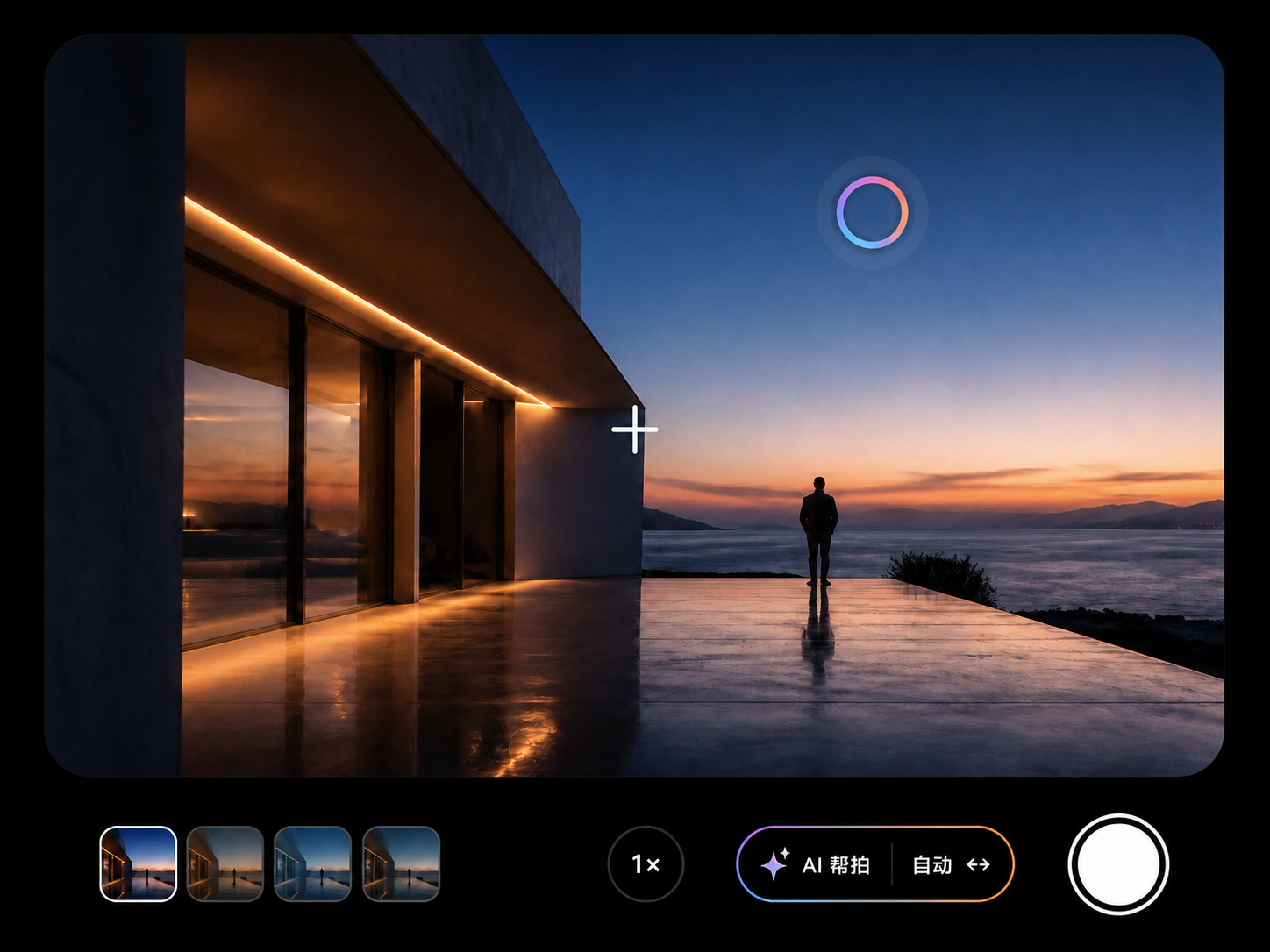
01 · HOW IT WORKS
When you request AI photography guidance, LookDot reads the live frame and your device’s camera capabilities, places a clear target dot, and matches suitable exposure and filters.
Move your phone until the on-screen + meets the AI target dot, so you can see exactly where the frame should settle.
LookDot applies supported camera settings and filters before you press the shutter and save a real camera photo.
AI adapts exposure and filters to the live frame and your camera’s capabilities. You can also explore a rich collection of in-app filters, then decide when to take the photo.
No account is needed for the standard camera. If AI is temporarily unavailable, the camera and shutter keep working.
Only when you request AI guidance does LookDot upload one compressed current frame with EXIF removed. The temporary image is deleted after analysis, and LookDot does not access location.
Read the Privacy Policy